Overview:
The SaaS Hero Section Module is designed to create modern, high-converting hero banners with flexible content and advanced styling controls. It allows you to display headings, descriptions, CTA buttons, hero images, badges, feature highlights, and animated backgrounds in a clean and structured layout.
The module supports dynamic background styles including solid colors, gradients, images, overlays, and animated visual effects. Fully responsive and easy to manage, the module allows marketers and content editors to customize hero sections directly inside HubSpot without coding.
Getting Started
Add the SaaS Hero Section Module to your HubSpot page, customize the content, upload hero images, configure buttons, select background styles, and create engaging hero sections with animations and feature highlights.
Key Features
- Create modern SaaS hero sections with headings, descriptions, badges, and CTA buttons.
- Add hero images with responsive layouts and lazy loading support.
- Enable dynamic background styles including color, gradient, and image backgrounds.
- Add animated background effects such as floating dots, blur glow, waves, and moving grid animations.
- Display feature highlights using repeater fields with icons and descriptions.
- Add video popup buttons with YouTube, Vimeo, or MP4 support.
- Customize typography, colors, spacing, borders, and button styles.
- Fully responsive hero layout for desktop, tablet, and mobile devices.
- Flexible content management directly inside HubSpot CMS.
- No coding required for content editing or style customization.
Installation
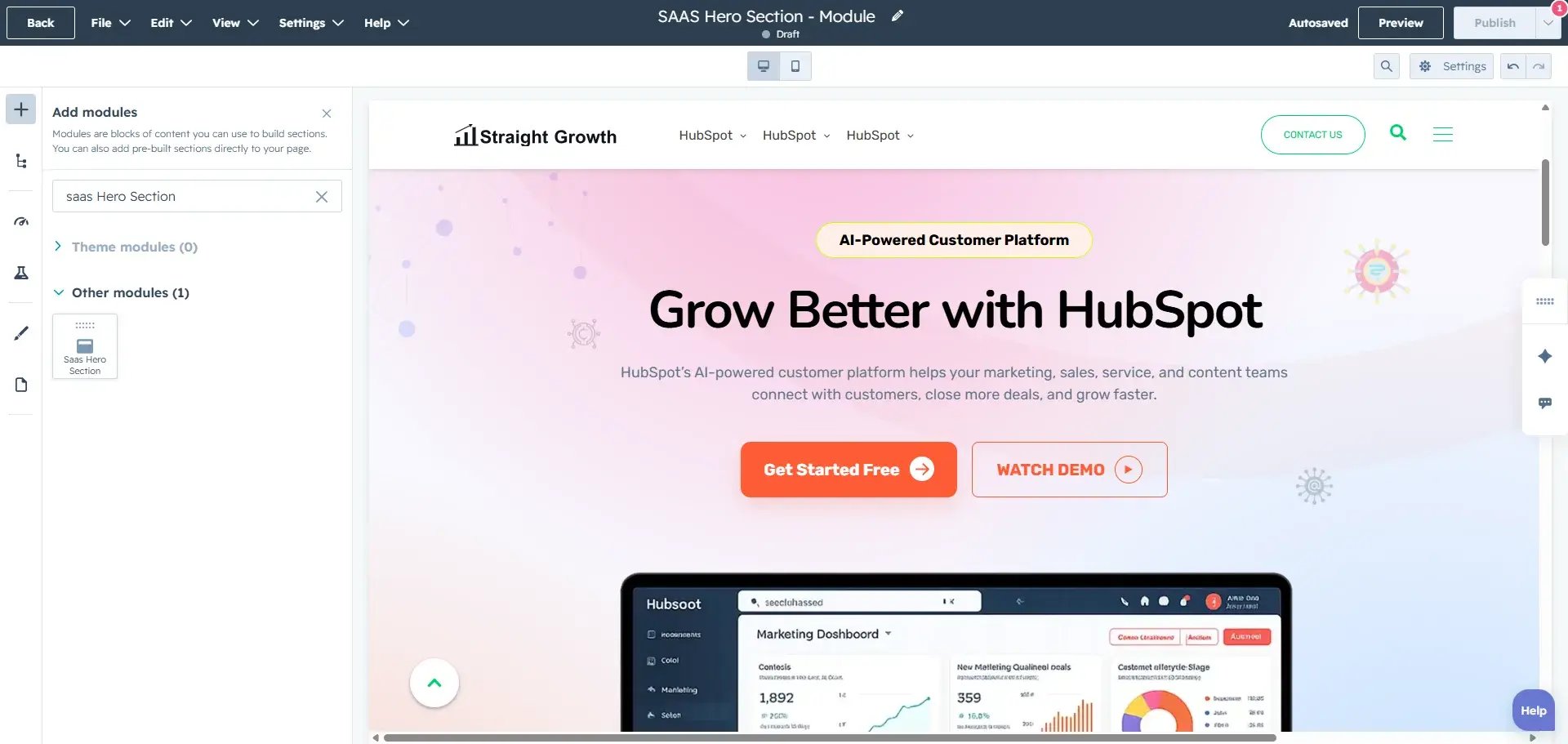
- Add the SaaS Hero Section Module to your HubSpot CMS library.
- Drag and drop the module into your desired page or template.
- Add heading content, descriptions, buttons, hero images, and feature highlights.
- Customize background styles, typography, spacing, and animations.
- Save and publish the page.
How to Use the Module
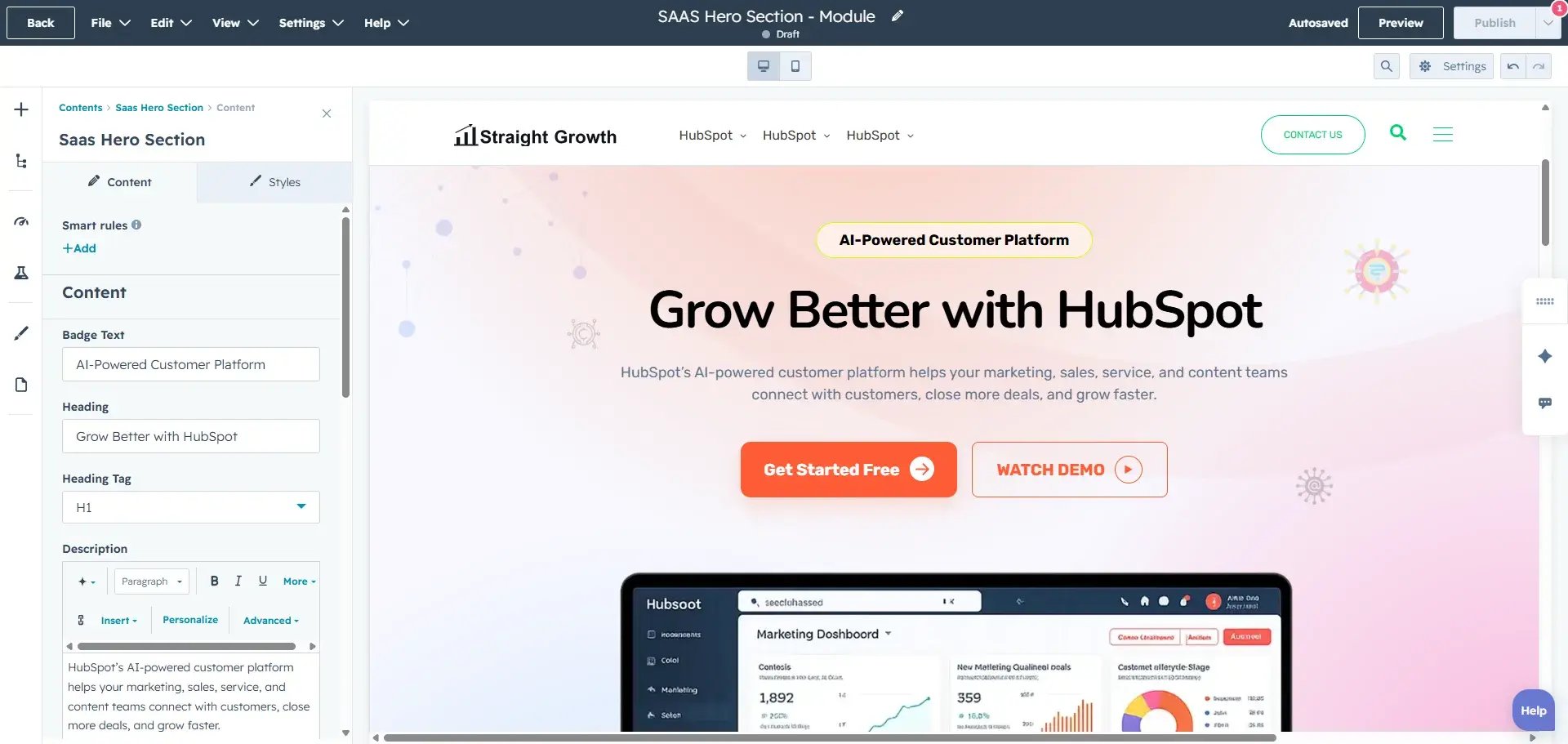
- Insert the SaaS Hero Section Module into your page layout.
- Add content such as badge text, headings, descriptions, CTA buttons, and hero images.
- Configure video popup functionality if required.
- Add feature items using repeater fields with icons and text.
- Customize the design settings including typography, colors, spacing, animations, and background styles.
- Preview the hero section and publish the page.
Module Compatibility
- Fully compatible with all HubSpot CMS templates and themes.
- Works across all modern browsers for consistent performance.
- Fully responsive design ensures smooth functionality across desktop, tablet, and mobile devices.
Adding Hero Images and Feature Highlights
- Easily upload hero images to create visually engaging layouts.
- Add feature highlights with icons and descriptions to showcase product benefits.
- Use responsive images for better performance across devices.
- Combine hero visuals with CTA buttons for improved conversion rates.
Best Practices
Keep hero headings clear, concise, and focused on your product’s main value proposition. Use high-quality hero images and maintain proper contrast between text and background elements for better readability. Avoid excessive animation usage to maintain performance and user experience. Use strong CTA button labels to improve engagement and conversions. Test the hero section across desktop, tablet, and mobile devices to ensure responsive behavior and proper spacing.
Features with Descriptions:
Dynamic Hero Layout:
Create modern hero sections with flexible content areas including headings, descriptions, buttons, hero images, and feature highlights.
Customizable Design:
Fully adjustable design options including colors, fonts, buttons, spacing, background styles, overlays, and animations to match your branding.
Mobile-Responsive:
Automatically adjusts for a smooth and consistent experience across desktop, tablet, and mobile devices.
Simple Content Management:
Easily manage and update hero content, buttons, feature items, images, and animations directly within HubSpot’s interface.
Enhanced User Experience:
Organize hero content clearly with modern layouts, animations, and CTA sections to improve visitor engagement and conversions.
Background Animation Effects:
Add modern animated effects like floating dots, blur glow, waves, and moving grids to create visually engaging hero sections.
Video Popup Support:
Display promotional or product videos inside responsive popup modals using YouTube, Vimeo, or MP4 video URLs.
Get Free Support
Need help setting up the module or customising it further?
We offer FREE 1-hour support for all our HubSpot modules.
Mail Us: resource@straightgrowth.com
Visit Website: https://www.straightgrowth.com/
👉 Book Your Free Support Session with Straight Growth